
Guide
Best GoreBox 27 Settings: Performance, Controls and Comfort
Set it before the session: graphics choices by phone tier, touch layout logic, and the controller setup that changes everything.
CONTENTS On this page
A physics game has more settings that matter than most shooters, because your phone is running a small world, not a backdrop. This guide sets the important ones, per the rack testing behind GoreBox 27.
Performance by tier
Flagships can take the world as it comes. Mid-range phones should protect frame stability first and treat huge bot counts and debris fields as the real settings menu: scene scale is a performance choice you make with the spawn tool. Budget phones: smaller scenes, bots in modest numbers, and the game stays itself.
Controls
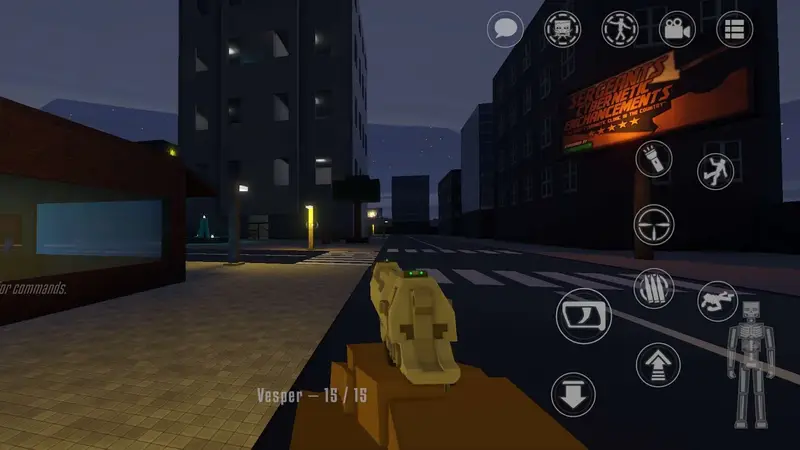
On touch, build the layout around your thumbs and keep the Crusher and Inspector controls reachable without re-gripping. On controller, and the game supports pads fully, map with intent: this is the single biggest comfort upgrade the game offers, especially for long building sessions.
Session comfort
Hosts should set the room's terms before guests arrive: mode, map, bot fill and difficulty. Most "settings problems" in multiplayer are actually unmade decisions, and they are all cheaper before the lobby fills.
Audio and awareness settings
Do not bury the game's best information channel under music and effects. Gunfire in this game is data: calibre tells you the weapon, distance tells you the urgency, and direction tells you where to look next. Set effects high enough that a fight two rooms away stays readable, keep voice chat clear of game audio in multiplayer, and remember that bots track you by the same sounds you make, so a loud loadout is a loud announcement. If frames still dip on a modest scene once the audio is right, the honest budgets live in our performance guide on scene scale by phone tier.
Comfort over a long session
Physics marathons punish posture and heat, not just hardware. Prop the phone, take the between-session breaks the game quietly suggests by accumulating debris, and lower screen brightness a touch for night maps rather than fighting the glare. Controller players get the biggest comfort win of all on long building sessions: pair a pad using our controller guide and the editor stops being a thumb workout. One last setup note: these settings assume the current build. If yours is old, refresh it from the download page first, because early access updates move the menus.
A settings pass before a hosted night
Hosts owe their guests one favour before the lobby opens: a GoreBox 27 that is already set up. Run this order. Confirm the build is current, because settings advice against a stale version wastes everyone's evening. Set scene scale for your phone's honest tier, not your ambitions, and lock bot fill and difficulty before invites go out. Check your own controls in a quiet sandbox, especially if a pad is involved. A GoreBox 27 host who finishes this pass can spend the night playing instead of administering, and guests can feel the difference immediately. Most so-called setting problems in GoreBox 27 are really sequence problems, and sequence is the cheapest fix in this entire guide. Do the pass in order, every time, and GoreBox 27 nights start on time.
Quick Answers
What is the highest-impact setting?
Scene scale: how many bots and objects your session carries. It is a setting you hold in the spawn tool.
Is a controller really worth it?
For precision tools and long sessions, yes, noticeably. Touch remains fully workable.
Why does my big scene slow down over time?
Persistent debris and bodies accumulate; the world remembers. Clear scenes between epics.