
Guide
GoreBox 27 Multiplayer: Joining, Hosting and Filling a Lobby With Bots
Cross-platform sessions explained: public browsing, invites, LAN play, and the bot-fill trick that saves every small lobby.
CONTENTS On this page
Multiplayer is where GoreBox 27's systems meet other people's imaginations, and the results are reliably unhinged. This guide covers the session types and the habits that make them work, from the lobbies we run for GoreBox 27 official site.
Ways in
Browse public sessions when you want instant company, accept an invite when your group has a plan, or host and set the terms yourself. Play is cross-platform, so the pool is bigger than the Android install base, and LAN covers the same-room case without the internet in the middle.
The bot-fill trick
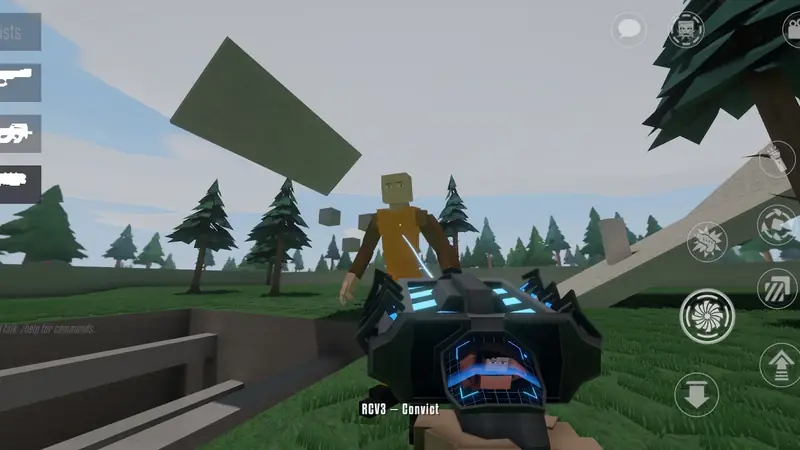
Empty seats need not mean empty games: bots can fill lobbies, starting the fun at two humans instead of waiting for eight. As friends arrive, the room warms up around them. It is the single healthiest feature a small-community multiplayer game can have.
Being a guest worth inviting back
Read the room's stated purpose before spawning anything enormous, keep experiments announced, and remember the host's kick exists. Sandbox etiquette is real, and our hosting guide for sessions your friends actually enjoy covers the other side of it.
Public rooms and private rooms
Public sessions are the game's wildcard: strangers arrive with their own experiments, their own Crusher manners and, occasionally, the best map idea your group will steal all month. Join public rooms when you want the simulation surprised by outside imaginations, and expect the etiquette to vary by host. Private rooms with invites are the opposite instrument: a known cast, a stated genre for the night, and builds that survive from one week to the next. Most healthy groups run both, public for discovery and private for the projects. Because play is cross-platform, neither pool is limited to Android players, which is why both fill faster than new players expect.
When a session feels wrong
A multiplayer session that stutters, rubber-bands or desyncs is usually blamed on the internet within seconds, and in this game that guess is wrong more often than it is right. Lag here has three parents, the network, the host's phone and the size of the scene everyone is simulating, and each one needs a different fix. Shrink the cast, hand hosting to the strongest device, then look at the router. Work through our multiplayer lag diagnosis in that order and most bad rooms are diagnosed inside five minutes, without anyone rebooting anything in anger.
Cross-platform manners
Because GoreBox 27 sessions mix platforms, your lobby will contain touch players, controller players and people on considerably bigger screens, all simulating the same unruly world. A few courtesies keep that mixture pleasant. Type plans in chat rather than assuming voice, because not every platform guest can hear you. Expect precision differences and never mock them: the touch player who just out-built your whole team has earned the room's respect. Hosts on GoreBox 27 should say which inputs the night assumes before a competitive mode starts, so nobody discovers a mismatch mid-match. The pool being bigger than Android alone is the gift; manners are how a GoreBox 27 lobby deserves it.
Quick Answers
Is multiplayer cross-platform?
Yes: sessions mix platforms, which keeps lobbies healthy.
Can bots really fill a public lobby?
Yes, hosts can add bots to fill seats, and matches feel full from the first minute.
Do I need an account to play online?
Sessions run through the game's own multiplayer; join or host from the menus and you are in.